

 Sports
SPORTS
 Slots / App
Slots from Microgaming and Habanero, live dealer tables, and cricket sportsbook markets all load from a single account — deposit via Rocket, Upay or Bank Transfer and you're in. Access is subject to your local law and eligible region.
Review current account information after signing in.
The bk56 lobby brings together slots, live casino tables and a cricket-led sportsbook under one roof. Game cards from Microgaming, Habanero, JDB and CQ9 are loaded directly — browse by category or scroll the full rail to find your session.
Three verified payment routes are configured on bk56: Rocket, Upay and Bank Transfer. Each one maps to a payment flow your account already recognises. To deposit, open the wallet section after sign-in, pick the method, and follow the fields and limits shown on that screen — the amounts and any verifi cation steps are displayed in real time. If a screen shows a field you do not recognise, the label text usually matches the glossary entry in the help section.
Rocket is a Dutch-Bangla Bank mobile wallet widely used across Bangladesh. On bk56, Rocket deposits go through the wallet section in your account. Enter your Rocket number, confirm the amount shown on screen, and the transaction registers in your account history once confirmed from the Rocket side.
Upay is a UCB-backed mobile financial service available to account holders across Bangladesh. To use Upay on bk56, select it from the deposit screen, follow the reference number and payment steps shown there, and verify on the Upay side. The balance appears in your account wallet once the confirmation comes through.
Bank Transfer is available for those who prefer a direct account-to-account route. The deposit screen shows the receiving account details and reference code to use. Include the reference exactly as shown — it links the transfer to your bk56 account. Processing time depends on your bank, and the account history updates once it is matched.
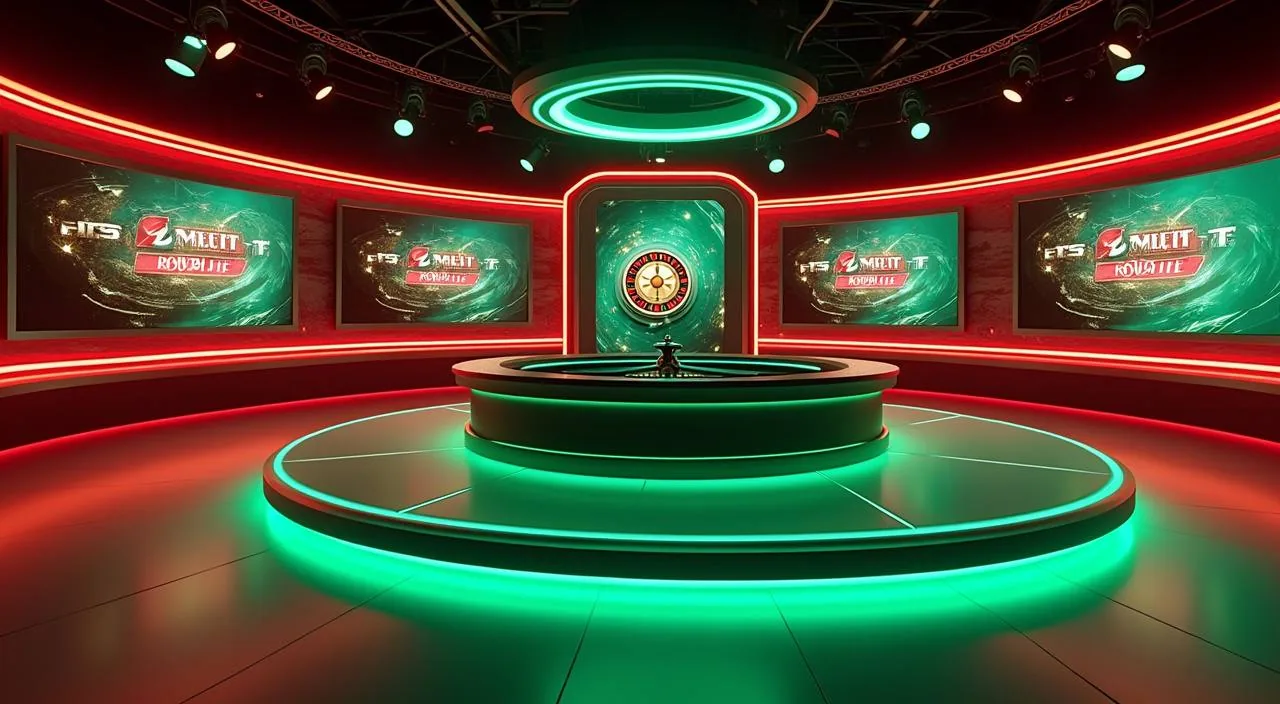
Sylhet Roulette Room is the live dealer title in our catalogue that draws the most returning traffic from Bangladesh players. Live dealer games work differently from slots — there is a real dealer on the other side of the stream, and the round pace is set by the table rather than a button press.
The live dealer roulette title in the bk56 catalogue. Open the live casino section, go to roulette, and you'll find Sylhet Roulette Room in the active tables rail. It runs a streamed session with a real dealer, and the round history is saved to your account. A stable connection improves stream quality on mobile.
Football Betblitz is in the sportsbook section, accessible from the same account session as the casino. If you move between football betting and slots or live tables, the balance and account history stay unified. No separate wallet or login is needed to switch. Find it under sportsbook in the lobby navigation after you sign in.
Hunza Peak Prize is in the slots category, listed under high-cap slot-feature titles. RTP is shown only where the provider exposes it inside the game interface — open the game's help or info panel to check. It appears in the standard slots rail in the lobby and is accessible from both mobile and desktop browser sessions.



Cards, tables, FAQ and policy pages stay easy to read on smaller screens.
bk56 runs in the browser — no separate download is required, and no installation step stands between you and the lobby. When you switch from one device to another mid-session, your account state carries over through the browser login rather than a local file. This means opening bk56 on a second phone or a desktop simply requires signing in again — the lobby, wallet balance, and any open screens reflect the same account data. For the smoothest experience, close the previous browser tab before opening a new one on the second device.
The bk56 lobby runs fully in a mobile browser — Chrome, Firefox or the default Android browser all work. No app store download is needed.
Your account wallet, transaction history and lobby position carry across devices without a manual sync. Start a session on your phone, return on a tablet or laptop — the account state is the same.
Returning account holders skip the registration flow entirely. Two fields — your registered number or email, then your password — and the lobby loads.
The bk56 lobby carries content from Microgaming, Habanero, JDB, CQ9. To check the studio, rules or features of one specific game, open that game card or the published information panel.
The account journey from the landing page to your first funded lobby session is four steps, and none of them require a visit or physical document submission to get started. Each step follows a logical sequence: the form fields on one screen inform what the next screen expects.
Open the registration screen and fill in the fields shown. Mobile number and email are the standard inputs. Follow the screen exactly — do not skip a field or use a number that is not active on your device, because account verification messages go to the number or email you register with.
After registration, the platform sends a confirmation to your mobile or email. Enter the code or click the link as instructed on screen. This step links your contact details to your account and enables the payment section.
Open the wallet section, choose Rocket, Upay or Bank Transfer, and follow the payment fields and limits shown on that page. For Rocket and Upay, the confirmation comes from your mobile wallet app. For Bank Transfer, include the reference code shown on the deposit screen so the payment maps to your account correctly.
Once the deposit registers in your account history, the full lobby is accessible. Use the navigation bar to switch between slots, live casino and sportsbook. The same account balance covers all three sections — there is no separate wallet for each category. Your transaction history is visible in the account section at any point.
Support on bk56 is reachable at any point in your session — you do not need a funded account or a completed deposit to ask a question. The primary route is the live chat inside the account area, which connects you to the support team directly without a phone call or a visit.
The live chat is the direct route to the bk56 support team. It is available from the main site screen before you sign in and from the account area once you are logged in.
The account help section covers the most common questions around login, wallet, verification and game access. It is accessible from the signed-in account menu and does not require a support agent if your question is covered there.
Email support is available for account issues that require documentation or a longer written record — for example, a payment dispute or an identity verification query. Use the email address listed in the contact section of the site.
Credibility on a platform like bk56 comes from what you can verify in your own account, not from claims we make on a landing page. The wallet section shows your full transaction history — every deposit, withdrawal and pending item is timestamped and logged.
Every deposit, withdrawal and pending item is logged in your account wallet with a timestamp. If a Rocket or Upay transfer does not appear after confirmation, the account history is the first place to check — it shows the last known status.
The bk56 lobby labels game content by studio — Microgaming, Habanero, JDB and CQ9 are the four studios whose titles appear in our catalogue. You can verify this in the lobby by checking the studio name displayed alongside any game card.
Live chat, the account help section and email support are the three published routes on bk56. None of them require a funded account to access. If you see a third-party number or social handle claiming to be bk56 support, treat it with caution — the official routes are only the ones listed insi
Access to bk56 depends on your local law and the eligible regions the platform serves. We do not publish a blanket availability statement because legal status varies.
Before your first session, a few terms on the deposit and account screens can look unfamiliar. This section explains what they mean in the context of how bk56 works — not dictionary definitions, but what each term points to in your actual account flow. For example, a pending status on the wallet screen means the transaction has been submitted but is awaiting confirmation from the payment route — it does not indicate an error unless it remains unchanged beyond the timeframe noted on that screen.

Your wallet balance is the amount currently available for placing bets or entering games. It updates in real time when a deposit is confirmed or a round settles. Rocket, Upay and Bank Transfer deposits add to this balance once the payment is processed on both sides.
When you use Bank Transfer, the deposit screen shows a reference code. You enter this code in the bank transfer description field when you make the payment. It is how the platform matches an incoming bank transfer to your specific bk56 account.
A pending status means the payment has been submitted from your side but the confirmation has not yet come back from the payment provider. For Rocket and Upay, this usually resolves once the mobile wallet confirms the transfer. For Bank Transfer, pending duration depends on your bank's processing window.
Inplay means the market is live — the match is already in progress when you place a bet. Cricket Betting Inplay updates its available markets in real time as the match develops. You can bet on outcomes that reflect what is happening in the game at that moment.
RTP stands for Return to Player — it is a percentage figure that describes the theoretical payout rate of a game over a large number of rounds. On bk56, RTP figures are shown only where the studio makes them available inside the game interface itself.
Account verification is the step that confirms your registered contact details — usually a mobile number or email — are active and belong to you. It happens after registration: the platform sends a code or link, and you confirm it on the screen. Some account actions, like first withdrawals, may require additional identity confirmation.
Local lobby check
bk56 casino brings live dealer tables, slot rooms and crash games together. Deposit via Rocket, Upay or Bank Transfer for supported Bangladesh regions
Access MOBILE GUIDEbk56 mobile access for Bangladesh: open the browser, sign in, and reach your account wallet, lobby and support from any phone screen
Access PAYMENT GUIDEbk56 banking covers Rocket, Upay and Bank Transfer deposits and withdrawals. Check your account area for steps, limits and transaction records
Access PLAYER GUIDEbk56 glossary covers RTP, house edge, KYC, Asian handicap, Rocket payments and more — plain definitions for Bangladesh players navigating the lobby
AccessThese are the questions that come up most often in support chats from first-time account holders on bk56. If your question is not here, open the account help section after sign-in or use the live chat — both routes reach the same support team without a wait for an email response.
Read FAQ →Go to the registration screen on bk56 and fill in the fields shown — typically mobile number, email and a password. After submitting, you will receive a verification code or link. Confirm it as instructed on the screen.
Rocket, Upay and Bank Transfer are the three verified payment routes configured on bk56. Each has its own deposit flow inside the wallet section of your account. Rocket and Upay require the mobile number linked to your wallet. Bank Transfer requires the reference code shown on the deposit screen.
Yes. bk56 runs in a mobile browser — no download or installation is needed. Open the site in Chrome or your default browser, sign in, and the full lobby is accessible. The layout is sized for a phone screen, and the deposit, lobby and support controls are within easy reach.
The bk56 lobby includes slots, live casino tables, crash games and a sportsbook. Game content comes from four studios: Microgaming, Habanero, JDB and CQ9. Cricket Betting Inplay is in the sportsbook section. Sylhet Roulette Room is in live casino.
First check your account transaction history — a pending status means the payment has been submitted but is waiting on confirmation from the wallet provider. If the status does not update within the timeframe shown on the deposit screen, open the live chat inside your account and give the support team your registered mobile number and
Access depends on your local law and the eligible regions the platform serves. We do not make a blanket availability claim for all regions.
The live chat is the direct route — available on the main site screen before sign-in and inside the account menu once you are logged in. The account help section covers common questions around login, wallet and verification without needing an agent.
Yes. The bk56 lobby navigation bar lets you move between the sportsbook, live casino and slots sections without logging out or switching accounts. The same wallet balance covers all three areas.
Access may be available only where local law permits.